

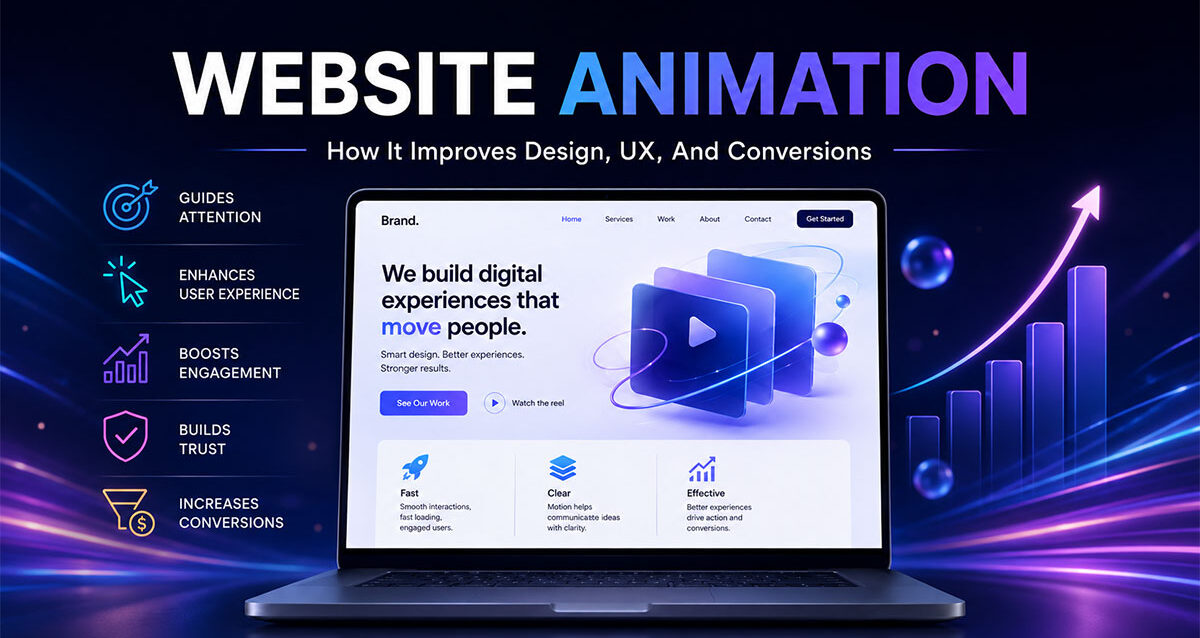
Website animation can change how quickly visitors understand a page. A headline tells people what you do. A layout shows them where to look. Animation helps guide their attention from one idea to the next.
That does not mean every website needs flying graphics, spinning icons, or heavy motion effects. Good website animation is usually subtle. It makes the page feel smoother, clearer, and more intentional.
When used properly, website animation can help a visitor notice an important message, understand a process, interact with a feature, explore a product, or feel more confident moving through the page.
The First Three Seconds Matter
When used poorly, animation becomes a distraction.
✅ Good website animation makes the experience easier to follow.
❌ Bad website animation gets in the way of the visitor’s goal.
What Is Website Animation?
Website animation is the use of motion on a website to improve communication, user experience, visual interest, and interaction. It can include animated hero sections, scroll effects, hover states, loading animations, micro-interactions, product animations, explainer graphics, animated icons, video backgrounds, and interactive motion elements.
Website animation is different from a full animated video. A full animated video usually tells a complete story from beginning to end. Website animation is built directly into the page experience.
For example, a company may use an animated explainer video to describe a product or service in a structured story, while using website animation to make the homepage, service pages, product sections, and calls to action feel more engaging.
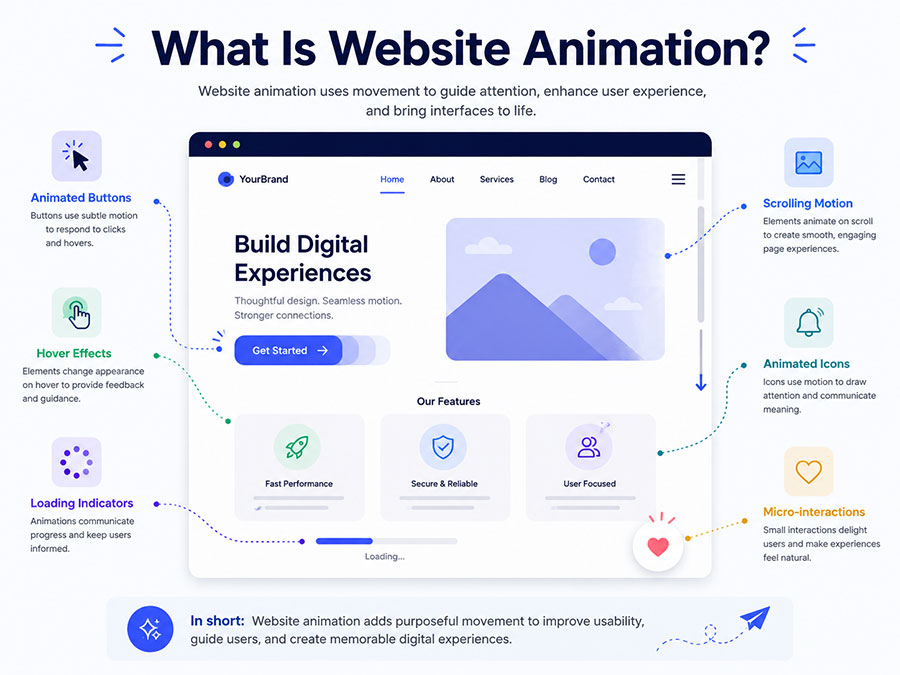
Website animation can be used for:
✅ Drawing attention to key messages
✅ Showing how a product works
✅ Making page transitions feel smoother
✅ Helping users understand steps in a process
✅ Making buttons and forms feel more responsive
✅ Adding polish to a brand experience
✅ Supporting visual storytelling without overwhelming the page
The purpose is not motion for the sake of motion. The purpose is better communication.
Where Motion Belongs On A Website
Website animation works best when it has a job to do. The motion should help the visitor understand something, notice something, or complete something.
Strong places to use website animation include:
| Website Area | Animation Use | Business Purpose |
|---|---|---|
| Hero Section | Animated headline support, motion graphic, product preview, or subtle background movement | Make the first impression more memorable |
| Service Sections | Animated icons, reveal effects, or step-by-step movement | Help users understand what the company offers |
| Product Pages | Interactive feature highlights, 3D product views, or motion demonstrations | Show value faster than text alone |
| Process Sections | Animated timelines, progress flows, or connected steps | Make complex processes easier to follow |
| Buttons And Forms | Hover effects, click feedback, loading states, and success messages | Make interactions feel clear and responsive |
| Case Studies | Animated metrics, before-and-after transitions, or data highlights | Make results easier to scan |
| Landing Pages | Conversion-focused motion around offers, product benefits, or calls to action | Keep users engaged long enough to act |
The best animation is usually intentional and restrained. It should support the structure created during website design, not compete with it. The same logic applies when choosing a web partner: motion is only valuable when it supports the larger strategy, which is why website planning should consider the same business-first questions covered in Thought Media’s guide to choosing a web design company.
Website Animation Is A Directional Tool
People do not read websites in a perfect order. They scan, skip, pause, scroll, compare, and decide quickly whether the page is worth their attention.
Website animation can act like a visual guide.
It can show visitors where to look first. It can connect one section to the next. It can make important content feel active instead of static.
For example:
✅ A service card can gently reveal as the user scrolls.
✅ A product feature can animate only when it enters the screen.
✅ A pricing table can highlight the recommended option.
✅ A form can confirm submission with a smooth success animation.
✅ A chart can animate upward to emphasize business growth.
These details feel small, but they influence how a visitor experiences the page. Motion helps create momentum.
Website Animation And User Experience
User experience is not only about how a website looks. It is about how easy the website feels to use.
Website animation can improve UX when it makes the interface feel more understandable.
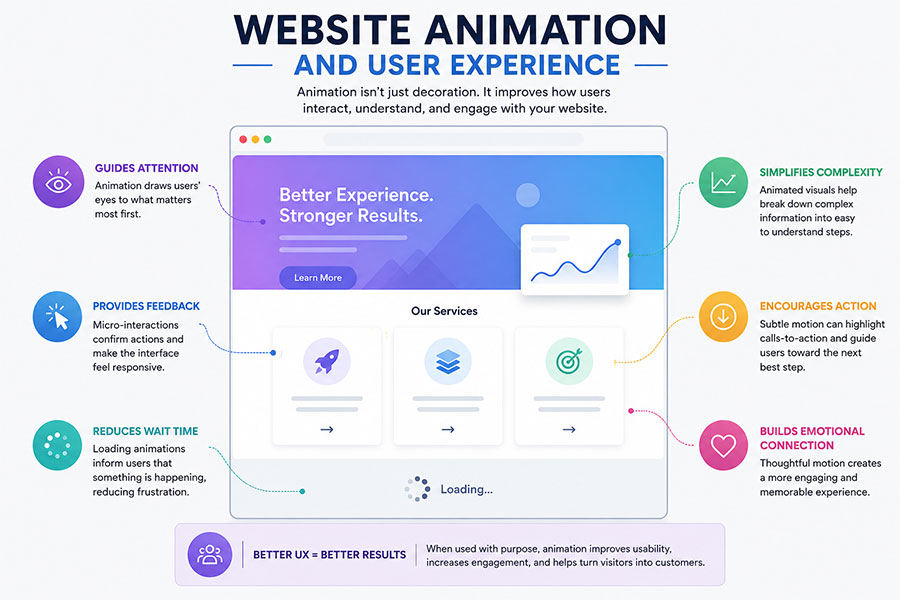
Good UX animation can:
✅ Show that a button has been clicked
✅ Confirm that a form is loading
✅ Reveal content at the right moment
✅ Reduce the feeling of waiting
✅ Make navigation feel smoother
✅ Help people understand cause and effect
✅ Make complex content feel less heavy
Poor UX animation can do the opposite.
❌ It delays access to important content
❌ It makes scrolling feel unnatural
❌ It causes visual clutter
❌ It slows down mobile performance
❌ It distracts from calls to action
❌ It creates accessibility problems
A good rule is simple: if the animation helps the user, keep it. If it only shows off, simplify it.
The Types Of Website Animation That Businesses Use
Website animation can take many forms. Some are simple and practical. Others are more advanced and require custom design, illustration, development, or motion planning.
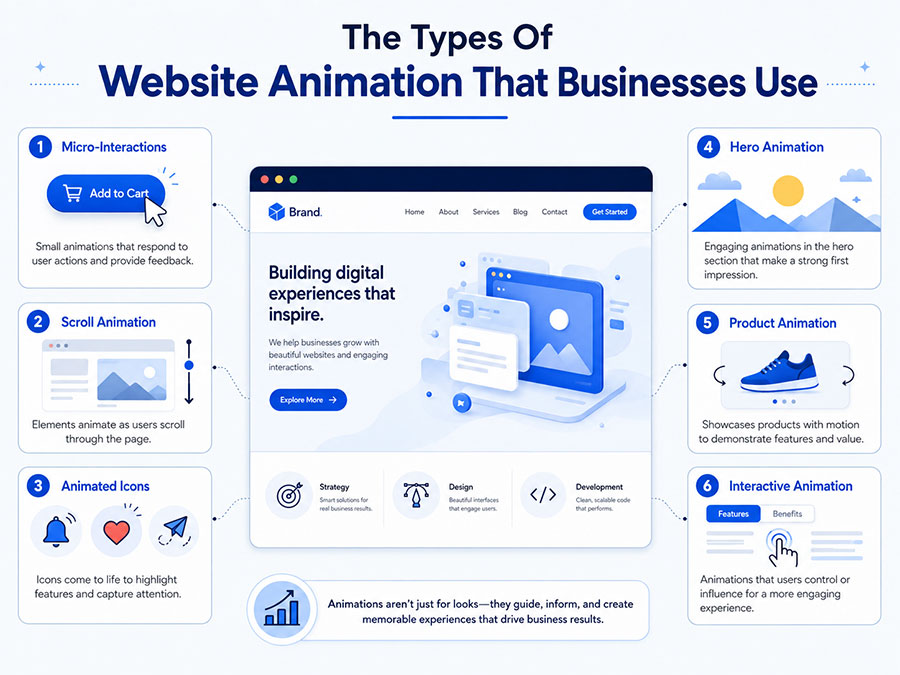
| Animation Type | What It Does | Best Use |
|---|---|---|
| Micro-Interactions | Small responses when users click, hover, submit, open, or scroll | Buttons, forms, menus, cards, and interactive elements |
| Scroll Animation | Reveals or moves elements as users scroll down the page | Service sections, timelines, feature blocks, and storytelling pages |
| Animated Icons | Adds motion to simple icons or interface graphics | Service lists, benefit sections, and homepage blocks |
| Hero Animation | Creates movement in the first major section of a page | Brand introduction, product launch pages, SaaS pages, and campaigns |
| Product Animation | Shows how a product, app, tool, or service works | Technology, software, ecommerce, industrial products, and service demos |
| Data Animation | Makes numbers, charts, or results appear dynamically | Case studies, reports, results sections, and business dashboards |
| Background Motion | Adds atmosphere through subtle moving shapes, gradients, video, or particles | Hero banners, brand pages, and campaign pages |
| Interactive Animation | Lets users control or trigger motion through actions | Product configurators, maps, comparison tools, and interactive landing pages |
Not every website needs every type. A professional services firm may only need subtle animation. A technology company may need product motion. An ecommerce store may need interactive product views. A public sector organization may need animation that makes information easier to understand without creating confusion.
Businesses comparing animation styles can also think beyond the website itself. The same project may use website animation for the page experience and other formats such as motion graphics, 2D animation, or 3D animation for videos, campaigns, product demos, or sales presentations.
How Website Animation Can Improve Conversions
Conversions happen when visitors take a meaningful action. That may be submitting a form, calling the business, booking a consultation, requesting a quote, buying a product, downloading a guide, or clicking through to another page.
Website animation can support conversions when it reduces friction.
It can help by making the next step easier to notice, making content feel less overwhelming, and creating a more confident experience.
Conversion-friendly animation may include:
✅ A subtle motion cue pointing toward a call to action
✅ A form progress indicator
✅ A pricing card highlight
✅ A hover effect on service cards
✅ A trust badge reveal
✅ Animated proof points or statistics
✅ A product benefit sequence that explains value quickly
Animation should not force attention. It should earn it.
When animation is tied to buyer behaviour, it can help users move through the page with less hesitation.
Website Animation And SEO
Website animation can support SEO indirectly, but it can also hurt SEO if it is implemented poorly.
Search engines need websites to be fast, crawlable, mobile-friendly, and easy to understand. Animation should not hide important text, block content, overload the browser, or create slow page experiences.
SEO-friendly website animation should follow these principles:
✅ Important text should remain crawlable as HTML
✅ Animations should be lightweight
✅ Pages should still load quickly
✅ Mobile performance should be tested
✅ Motion should not block navigation
✅ Images and videos should be optimized
✅ Accessibility settings should be considered
Animation problems can hurt performance.
❌ Heavy video backgrounds slow the page
❌ Large JavaScript files delay loading
❌ Text embedded only inside animation may not be useful for SEO
❌ Autoplay motion can distract mobile users
❌ Poor implementation can create layout shifts
This is why website animation should be planned with search visibility in mind, especially when the page needs to rank for competitive service, product, or location-based searches. A polished animation experience is valuable only if the site still loads quickly, remains crawlable, and gives visitors clear content to act on.
Website Animation And AEO
AEO, or Answer Engine Optimization, focuses on making website content easier for search engines and AI systems to understand, summarize, and reference.
Animation does not replace clear content. It should support clear content.
If a page relies only on motion and visuals but does not explain the topic in readable text, it may look good while remaining weak for SEO and AEO.
AEO-friendly animation strategy means the page still includes:
✅ Clear headings
✅ Direct answers
✅ Helpful explanations
✅ FAQ sections
✅ Schema markup
✅ Accessible text
✅ Logical page structure
✅ Internal links to related topics
Businesses should avoid hiding important information inside visuals alone. Animation can improve engagement, but the meaning still needs to be available in text that search engines and answer engines can understand.
When Website Animation Is Worth The Investment
Website animation is worth considering when motion can improve clarity, differentiation, or conversion value.
It is especially useful when:
✅ The product or service is complex
✅ The brand needs a more polished digital presence
✅ The homepage needs stronger visual impact
✅ The business wants to explain a process quickly
✅ The website feels flat or outdated
✅ Users need help understanding steps, features, or benefits
✅ The business is investing in a custom website
✅ The website is used in sales, advertising, or investor conversations
It may not be worth prioritizing if:
❌ The website has weak content that needs rewriting first
❌ The site already loads slowly
❌ The business only needs a very simple informational page
❌ The animation would delay launch without adding business value
❌ The budget is better spent on SEO, copywriting, or core website structure first
Animation works best after the strategy is clear. It should enhance the message, not compensate for a weak one. This is especially important for companies deciding between a fully custom build and a simpler template-based site, because the trade-offs are similar to those discussed in Thought Media’s article on custom website design services vs template web design.
Common Website Animation Mistakes
Website animation can make a website feel premium, but only when it is controlled. Too much motion can make a website feel distracting, slow, or confusing.
Common mistakes include:
❌ Animating everything on the page
❌ Using motion without a purpose
❌ Making users wait before they can read content
❌ Adding heavy video backgrounds without optimization
❌ Hiding important messages inside non-crawlable visuals
❌ Ignoring mobile performance
❌ Using aggressive popups or movement near calls to action
❌ Forgetting accessibility settings for reduced motion
A better approach is more focused:
✅ Animate only what matters
✅ Keep motion fast and subtle
✅ Use animation to guide attention
✅ Make sure the page works without the animation
✅ Test speed and mobile usability
✅ Keep important content readable and crawlable
How Website Animation Fits Into A Larger Digital Strategy
Website animation should not be treated as a standalone decoration. It is part of a larger digital experience.
A business website may need to support web design, SEO, AEO, paid ads, ecommerce, social media, sales conversations, product education, hosting, analytics, and long-term content strategy.
Animation can strengthen that system when it helps visitors understand the business faster.
For example, a website animation strategy may support:
✅ Homepage positioning
✅ Service explanations
✅ Ecommerce product discovery
✅ SaaS feature education
✅ Investor presentations
✅ Recruitment campaigns
✅ Interactive sales pages
✅ Explainer content
Businesses with larger animation needs may also use related video content. A website might use subtle page motion while a standalone video animation campaign handles longer-form storytelling, education, or product explanation.
Different animation formats can also serve different parts of the buyer journey. Thought Media’s guide to types of video animation and their best use cases is useful when deciding whether a project needs website motion, explainer animation, motion graphics, whiteboard animation, 2D animation, 3D animation, or another format.
Website Animation For Product And Service Demonstrations
Some products and services are hard to explain with static text alone. Website animation can help show movement, sequence, functionality, cause and effect, or transformation.
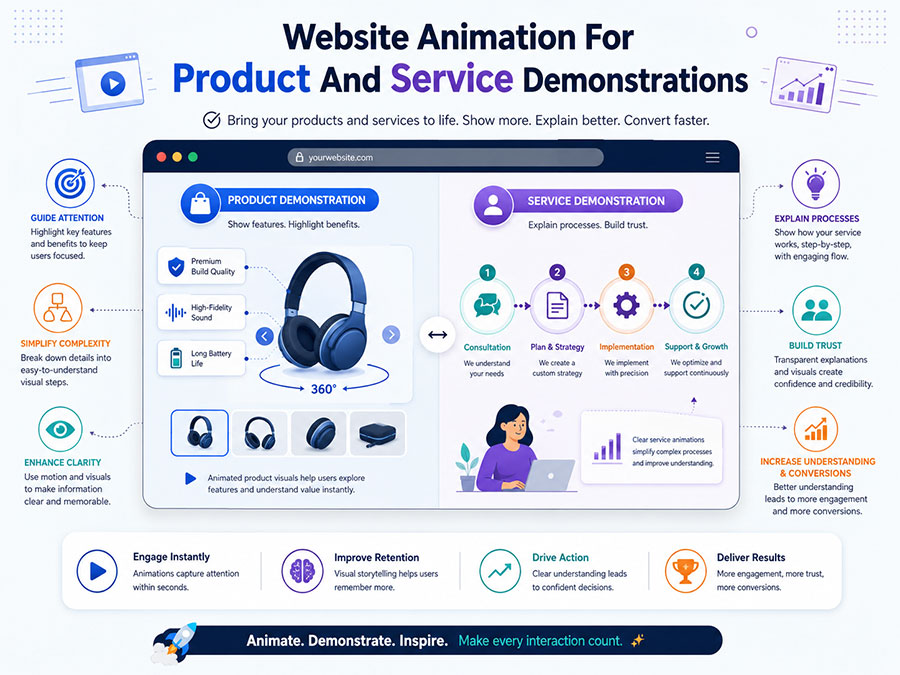
This is useful for:
✅ Software platforms
✅ Mobile apps
✅ Medical devices
✅ Industrial products
✅ Financial services
✅ Public sector programs
✅ Training systems
✅ Technical services
For more complex demonstrations, website animation can work together with product-focused videos. Thought Media’s examples of video animation for product demonstrations show how animated visuals can make features, benefits, and product value easier to understand.
The same principle applies on a website. Motion should make the idea easier to grasp. It should not make the visitor work harder.
AI Animation Or Custom Animation?
Website animation can be created in different ways. Some motion can be built directly with front-end code. Some animation may use custom illustration, motion graphics, video, Lottie files, 3D assets, or AI-assisted production tools.
The right method depends on the project.
AI-assisted animation may help when speed, simple motion, or early concepting matters. Custom animation is often better when the website needs a unique brand style, refined motion, precise storytelling, or premium visual quality.
Businesses comparing production methods should understand the same trade-offs described in Thought Media’s article on AI animation vs custom handcrafted video animation: speed and cost matter, but brand fit, quality, flexibility, and polish still matter too.
For a website, the final decision should be based on the page goal, performance requirements, brand standards, user experience, and long-term maintenance, not just animation AI can enhance.
How Much Does Website Animation Cost?
Website animation costs depend on the type of motion, design complexity, technical requirements, custom illustration, development time, and whether the animation is part of a broader website project.
| Animation Scope | Typical Use | Relative Cost |
|---|---|---|
| Basic UI Motion | Hover states, button feedback, small reveal effects, simple transitions | Lower |
| Animated Icon Set | Service icons, process icons, product feature icons | Low to medium |
| Scroll-Based Animation | Section reveals, process flows, interactive storytelling | Medium |
| Custom Hero Animation | Homepage or landing page visual animation | Medium to high |
| Product Or Explainer Animation | Animated product demos, software visuals, technical explainers | Higher |
| Interactive Website Animation | Custom calculators, configurators, product tools, immersive motion experiences | Higher to custom |
The most cost-effective website animation usually starts with a clear page goal. The project should define what the visitor needs to understand, where motion can help, and how performance will be protected.
Website Animation Checklist
Before adding animation to a website, use this checklist.
✅ Does the animation support a clear message?
✅ Does it improve the user journey?
✅ Is the motion subtle enough to avoid distraction?
✅ Will the page still load quickly?
✅ Does the animation work on mobile?
✅ Is important text still crawlable?
✅ Does it support the call to action?
✅ Does it match the brand style?
✅ Has accessibility been considered?
✅ Can the animation be maintained after launch?
Website animation should make the page feel more useful, not just more active.
Where Thought Media Fits
Thought Media™ works with businesses that need website design, ecommerce web design, website animation, video animation, explainer videos, motion graphics, search engine optimization, AEO, Canadian website hosting, digital marketing, managed hosting, IT services, hardware solutions, and custom AI development connected into one practical digital strategy.
For businesses that want stronger digital experiences, website animation can be planned as part of the broader website structure instead of added as an afterthought. That means motion can support page clarity, service explanations, calls to action, SEO, AEO, hosting performance, and long-term content growth.
The goal is not to animate everything. The goal is to use motion where it helps people understand faster, trust sooner, and take action with more confidence.
Final Thoughts
Website animation can improve design, UX, and conversions when it is used with purpose.
The best animation is not the loudest animation. It is the animation that helps users move through the page more naturally. It guides attention, explains ideas, supports interaction, and adds polish without slowing the site down.
Businesses should treat website animation as part of the website strategy, not a decorative extra. When motion is connected to clear content, strong design, SEO, AEO, mobile performance, and conversion goals, it can make a website feel more professional and easier to use.
Good website animation helps the visitor understand what matters next.
FAQ
What is website animation?
Website animation is the use of motion on a website to improve communication, user experience, visual interest, and interaction. It can include animated icons, scroll effects, hover states, hero animations, product animations, loading states, and interactive motion elements.
Is website animation good for SEO?
Website animation can be good for SEO when it improves user experience and is implemented without slowing the page or hiding important content. Important text should remain crawlable, animations should be lightweight, and mobile performance should be tested.
Can website animation improve conversions?
Yes. Website animation can support conversions when it guides attention, explains value faster, makes calls to action easier to notice, improves form feedback, or makes the page feel more engaging and trustworthy.
What are examples of website animation?
Examples of website animation include animated hero sections, scroll-triggered effects, animated icons, hover states, loading animations, form success messages, product demonstrations, animated charts, motion backgrounds, and interactive page elements.
What is the difference between website animation and video animation?
Website animation is built into the website experience and usually supports interaction, navigation, layout, or page storytelling. Video animation is usually a standalone animated video that explains a product, service, process, or brand message from beginning to end.
Does website animation slow down a website?
Website animation can slow down a website if it uses heavy files, large videos, excessive JavaScript, or poorly optimized effects. Lightweight animation, optimized media, good hosting, and careful development can reduce performance issues.
Should every website use animation?
No. Not every website needs animation. Website animation is most useful when it improves clarity, interaction, storytelling, product understanding, or conversion flow. If it distracts users or slows the website, it should be simplified or removed.
What types of businesses benefit from website animation?
Technology companies, ecommerce brands, professional services firms, SaaS companies, manufacturers, agencies, startups, public sector organizations, education providers, and complex service businesses can benefit from website animation when motion helps explain value more clearly.
How much does website animation cost?
Website animation costs depend on complexity. Simple hover effects or reveal animations may be lower cost, while custom hero animation, product animation, scroll-based storytelling, or interactive animation may require more design and development time.
Can Thought Media help with website animation?
Yes. Thought Media helps businesses with website animation, website design, ecommerce web design, video animation, explainer videos, motion graphics, search engine optimization, AEO, Canadian website hosting, digital marketing, managed hosting, IT services, hardware solutions, and custom AI development.